
5 Reasons Acrylic Prints Excel for Portraits

Last Updated: October 25, 2026
Quick Summary
Acrylic prints for portraits excel because UV inks bond directly to optical-grade acrylic, eliminating glass glare and paper texture while delivering vivid color, precise skin tones, and sharp fine detail that make personal images gallery-quality wall art. The clear acrylic layer adds depth and dimensional quality that flatters portraits in any home or office.
- UV ink printed directly onto acrylic renders skin tones accurately with subtle gradations that canvas and paper cannot match
- Acrylic's glossy surface enhances perceived sharpness, making eyelashes, hair texture, and fabric weave read crisper than on matte substrates
- Position acrylic portraits perpendicular to windows to avoid glare; indirect or controlled light preserves color saturation for decades
- Prepare portrait files at minimum 150 DPI at print size, convert to sRGB, and apply light sharpening only to avoid halos
- Acrylic resists yellowing and fading when kept out of direct sunlight, maintaining clarity and color stability longer than canvas or paper
Table of Contents
- Why Acrylic Prints Stand Out for Portrait Photography
- Image Quality and Color Reproduction in Acrylic Prints
- Acrylic vs Metal Photo Prints: Which Handles Portraits Better
- Skin Tones and Fine Detail: What Sets Acrylic Apart
- Best Acrylic Photo Printing Services for Custom Portraits
- How to Clean Acrylic Prints and Maintain Long-Term Durability
- Preparing Your Portrait for an Acrylic Print
- Order Your Custom Acrylic Portrait Today
- Frequently Asked Questions
Why Acrylic Prints Stand Out for Portrait Photography
Acrylic prints deliver what portrait photography demands: color depth, clarity, and a polished finish that elevates personal images into gallery-quality wall art.
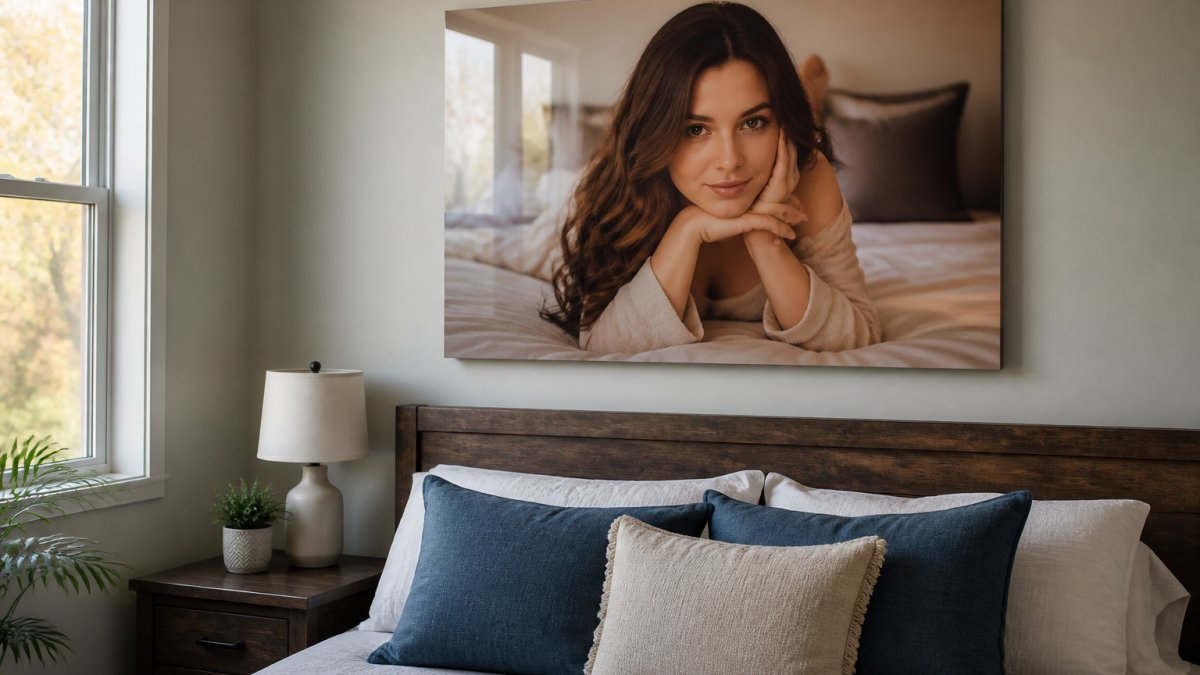
Portrait clients choose acrylic because it preserves the nuances that make a photograph matter: the warmth in someone's expression, the texture of fabric, the depth in their eyes, details that get flattened on canvas or lost behind glass.
Image Quality and Color Reproduction in Acrylic Prints
Acrylic prints for portraits excel at color reproduction because UV inks sit on the acrylic surface rather than absorbing into paper or canvas fibers, so colors stay vivid.
Skin tones especially benefit. Acrylic's surface renders these gradations faithfully. Bay Photo's analysis of print surfaces for photography notes that acrylic delivers deeper color saturation and a polished, modern presentation compared to alternatives like canvas, which can appear warmer but less precise.
For custom portrait work, this clarity matters: a headshot needs to look sharp and true, and a family portrait needs natural skin tones.
Acrylic vs Metal Photo Prints: Which Handles Portraits Better
Most acrylic-versus-metal comparisons stop at "acrylic is warmer, metal is sleeker," which is not useful when deciding where to hang a portrait of a person. The real differences show up in how each substrate renders skin, behaves under room light, and ages. Here is a portrait-specific breakdown of acrylic, metal, canvas, and fine-art paper under glass.
How each substrate is built
- Acrylic: UV-curable inks are printed onto the back of optical-grade acrylic, then a backing is applied. You look through the acrylic to the ink, which is why the image reads glossy and dimensional.
- Metal: Dye-sublimation fuses ink into a coated aluminum sheet. The surface is rigid, thin, and either glossy, satin, or white-matte. There is no glass layer, so the image sits right at the surface.
- Canvas: Latex or UV ink on poly-cotton, stretched over a wood frame. The weave adds texture, which softens fine detail.
Portrait rendering: skin tones, detail, and lighting
Skin is the hardest test for any substrate. On acrylic, ink sits behind a clear layer that adds depth and slightly boosts perceived saturation, flattering for portraits. Metal is sharp and color-accurate, but its metallic base can cool midtones and push highlights toward a silvery cast, which suits high-contrast athletic or editorial portraits but can look less flattering on warm family sessions.
Glare and room lighting
A portrait is usually viewed up close and at eye level, often in a living room, bedroom, or office with windows and lamps. Glossy acrylic reflects light, so a portrait hung directly across from a window will show a bright rectangle at certain times of day. Satin or white-matte metal scatters light and shows less glare, but glossy metal is just as reflective as acrylic.
Weight, mounting, and installation
Acrylic is lighter than framed paper and far lighter than glass, which matters for drywall and renters using damage-free hangers. Metal is thin and rigid but can arrive with sharp edges if not finished. Canvas is light but can sag on humid walls. Framed paper is the heaviest and needs a stud or heavy-duty anchor.
Durability and aging
Acrylic resists yellowing and holds UV ink color well when kept out of direct sun. Metal is dimensionally stable and will not warp, but the coating can scratch. Canvas can yellow, sag, and collect dust in the weave. Paper under glass is archival if the glazing blocks UV, but the glass can break. For a portrait you intend to keep for decades, acrylic and metal are the most stable options.
A quick decision guide
| Priority | Best substrate | Why |
|---|---|---|
| Warm, dimensional skin tones | Acrylic | Clear layer adds depth; UV ink holds saturation |
| Maximum sharpness, cool modern look | Metal (glossy or satin) | Dye-sub fuses into rigid aluminum |
| Lowest glare in a bright room | Metal (satin/white-matte) or canvas | Matte surfaces scatter light |
| Soft, painterly family portrait | Canvas | Weave hides detail and warms color |
| Archival reference print | Paper under UV glass | Neutral, controllable, replaceable glazing |
If you are mixing portrait prints with faith or motivational pieces, keep the substrate consistent across the wall. A single acrylic portrait next to a metal sign will look like two different rooms; a matched acrylic set looks intentional. For a gym or office wall, pair the portrait with Locked In for team sports or Three Moves Ahead for a founder's office.
Skin Tones and Fine Detail: What Sets Acrylic Apart
Acrylic prints render skin tones accurately because UV printing allows precise color layering without the bleeding or diffusion that happens on paper, preserving the subtle transitions that make a portrait feel alive.
Fine detail, eyelashes, hair strands, fabric texture, stays sharp on acrylic.
For headshots, event photography, and family sessions, acrylic's handling of skin tones and fine detail justifies the medium choice alone.
Best Acrylic Photo Printing Services for Custom Portraits
When ordering acrylic prints for portraits, the printing service matters as much as the medium. You need a provider who understands color management, file preparation, and quality control.
acrylic.studio specializes in custom acrylic prints made to order in the US.
File preparation is the key to quality.
Also confirm the service offers color correction and verify careful shipping to avoid damage in transit.
How to Clean Acrylic Prints and Maintain Long-Term Durability
Acrylic prints are durable but require gentle care. The optical-grade surface is durable, and UV inks are fade-resistant in direct sunlight.
To maintain your acrylic portrait:
- Dust regularly with a soft, dry microfiber cloth. Never use paper towels or abrasive materials.
- Avoid harsh chemicals. If the print needs cleaning, use only distilled water on a soft cloth, no vinegar, alcohol, or commercial glass cleaners.
- Keep the print away from direct sunlight. Learn more about how acrylic prints resist fading and what conditions best preserve your portrait over time. Position it in areas with indirect or controlled light to preserve color saturation over time.
With proper care, acrylic prints hold color and clarity for decades. They don't yellow like some canvas prints or fade like paper prints exposed to UV light. Acrylic material durability research confirms that optical-grade acrylic maintains its clarity and UV ink stability when stored and displayed away from extreme heat or direct sunlight.
Preparing Your Portrait for an Acrylic Print
Acrylic is unforgiving of a weak file. Because ink sits behind a clear layer and the surface is glossy, softness, noise, and color casts that hide on canvas become visible. A short, repeatable prep workflow prevents almost every disappointing result.
1. Resolution: the 150 DPI rule and what it really means
Most acrylic labs want at least 150 DPI at final print size, lower than the 300 DPI you may have heard for paper, because the glossy surface masks some softness. Do the math before you upload:
- 8 × 10 inches: 1,200 × 1,500 pixels minimum
- 11 × 14 inches: 1,650 × 2,100 pixels minimum
- 16 × 20 inches: 2,400 × 3,000 pixels minimum
A modern phone camera captures 12 megapixels or more, roughly 4,000 × 3,000 pixels, enough for a 16 × 20 at 150 DPI with room to crop. A DSLR or mirrorless file from the last decade comfortably clears 24 × 36. If your file is below the minimum, print smaller or accept that the lab will upscale, which softens detail.
2. Cropping for portraits, not landscapes
Portrait cropping differs from landscape cropping. The subject's eyes should sit roughly one-third from the top of the frame, and the crop should not cut through joints, hands, or the top of the head. For a tight headshot, leave breathing room above the hair; for a family portrait, keep the group centered. Acrylic has no frame to hide a sloppy edge, so the crop is the composition.
3. Color profile and soft proofing
Convert your file to sRGB before uploading unless the lab specifies otherwise; Adobe RGB files can shift when the printer expects sRGB, usually producing dull or green-cast skin tones. Phone screens run brighter and cooler than print, so a portrait that looks perfect on your phone can print warmer and darker.
4. Sharpening: a light touch
Acrylic's glossy surface already enhances perceived sharpness, so heavy sharpening creates halos around hairlines and eyes that look artificial up close. Apply a modest output sharpening pass, enough to crisp the eyes and fabric, no more. If your editing app has a "print sharpening" preset, use low or medium.
5. Noise and skin smoothing
High-ISO noise invisible on a phone screen becomes visible grain on a large acrylic print, especially in shadow areas of skin. Apply light noise reduction, but do not over-smooth; plastic-looking skin is worse than a little grain. Zoom to 100 percent and check the shadow side of the face.
6. File format and delivery
Upload a high-quality JPEG or TIFF. JPEG at quality 90 or above is fine for most portraits; TIFF is better if your lab accepts it and you want to avoid compression artifacts in smooth skin gradients. Never upload a screenshot or a file pulled from social media, those are recompressed and often below the resolution minimum.
7. Size selection by room and viewing distance
A portrait's size should match how close people stand. Above a desk or nightstand, 8 × 10 or 11 × 14 works because the viewer is close. On a living room wall viewed from a sofa, 16 × 20 or 18 × 24 reads better. In a gym or office lobby viewed from across the room, 24 × 36 makes a statement.
| Preparation Step | What to Check | Impact |
|---|---|---|
| File Resolution | At least 150 DPI at print size | Prevents pixelation and soft details |
| Cropping | Eyes one-third from top; no cut joints | Stronger composition without a frame |
| Color Profile | sRGB; request a soft proof | Accurate skin tones and color reproduction |
| Sharpening | Light output sharpening only | Crisp detail without halos |
| Noise Reduction | Check shadows at 100 percent | Clean skin without plastic smoothing |
| File Format | JPEG quality 90+ or TIFF | Avoids compression artifacts |
| Size Selection | Diagonal about half the viewing distance | Proper visual balance in the room |
Once the file is ready, the last decision is the wall. Hang the portrait at eye level, keep it out of direct sun, and give it a few feet of breathing room so the glossy surface has something calm to reflect. A retirement portrait pairs well with Off The Clock, and a team or locker-room portrait pairs with Locked In.
Order Your Custom Acrylic Portrait Today
Acrylic prints transform portraits into lasting wall art. The clarity, color accuracy, and modern aesthetic make them ideal for homes, offices, gyms, and any space where your image deserves to shine.
At acrylic.studio, we handle the technical details so you don't have to. The result arrives ready to hang with no frame, no glass, no glare, just your portrait, elevated. Shop all acrylic prints to get started, or explore our guide on how to hang acrylic art without drilling walls if you're renting.
Frequently Asked Questions
Are acrylic prints good for portraits?
Yes. Acrylic prints deliver superior color saturation and fine detail for portraits because UV ink is printed directly onto optical-grade acrylic glass. There is no paper layer to dull the image, and the glossy surface enhances skin tones and facial features. The result is a polished, modern look that canvas or paper cannot match. Acrylic's reflective quality works well in most lighting, though you should avoid direct overhead lights that create glare.
What photo resolution is best for an acrylic portrait print?
Aim for at least 150 DPI at your final print size. For example, an 18 × 24 inch portrait needs roughly 2700 × 3600 pixels. Phone photos often start at 72 DPI, so enlarging them significantly may result in pixelation. If you're unsure, upload your image to a custom printing service's preview tool, it will show you exactly how the portrait will look at your chosen size before you order.
How do you choose a high-quality acrylic print for a portrait?
Look for UV printing directly onto solid acrylic (not paper mounted to acrylic), polished edges, and hidden mounting hardware that creates a floating effect. Check that the lab allows you to preview your portrait on the wall before ordering. Read reviews about color accuracy and durability. A reputable acrylic photo printing service will stand behind its work and offer clear guidance on file preparation.
How should you display and clean an acrylic portrait print?
Mount your acrylic portrait on a wall with adequate space around it, at least 6 inches from corners or adjacent artwork. Avoid direct sunlight for extended periods to prevent UV fading, though acrylic is more fade-resistant than paper. To clean, use a soft, lint-free microfiber cloth slightly dampened with water. Wipe gently in circular motions. Never use harsh chemicals, abrasive materials, or spray cleaners, as these can scratch the surface or damage the print.
